Thursday, April 26, 2012

Mobile For Wordpress

So for a missing feature that is missing that is wanted within my project my team and I are currently working on is the availability for mobile. Yes, it is easy to pull up the site on a mobile device, but I feel like if you are going to optimize a site for mobile, it needs to be done specifically and correctly.

Optimization for mobile devices is the new way of connecting with people. Smart phones are the way to look things up on the fly, not laptops, not desktops, not yellow pages. My client had mentioned his interest in this ability and it is appropriate for his business.

Plugins

There are multiple plugins for WordPress and I am looking for a simple one that my client may use and change if need be. Granted my client does not understand how to implement any of these ideas yet, let alone even customize HTML, so simplicity is key at the moment. 

WordPress Mobile Pack

Wordpress Mobile Pack is a plugin that has lots of cool features and seems easy enough to implement. Apart from the small things like color schemes and themes, you can re-size images, switch between mobile and desktop presentations, and standards adherence. 

MobilePress

MobilePress is another mobile plugin with a cool feature of showing ads, even your own managed ads. It is SEO enabled and works well with Google. Customization of themes is of course an option here as well. 

Mobile Admin

This plugin is specific for iOS devices, but can be used to customize for specific browsers as well. Some of the features are creating and editing posts, comment moderation, and ability to toggle between mobile and desktop.

Other Benefits

WordPress has an application to manage your site from iOS devices. With this you can moderate comments, create posts, and add images and videos, which makes everything a whole lot easier at times.

Tuesday, April 24, 2012

I'm Late! I'm Late For A Very Important Date!

While some of us can remember everything with what dates they are going to happen on, there are those of us who are jacked up on caffeine whose life depends on calendars.
The Truth In This Is Horrifying. 

Tuesday, April 17, 2012

Sliders! (Galleries, Not Burgers)

Galleries are necessities in today's tech savvy websites. Well every website I should say. For the WordPress project my team and I are working on, we need to find and implement an easy to customize, easily managed, easily implemented Wordpress gallery slider. There are quite a few just on this WordPress site.
Image Sliders, I said Image Sliders..... 
So With This Task, Comes The Research
With selecting a slider for this site, I looked for management and implementation as the top 2 credentials needed. Cropping is one of the big things that would be awesome to find within a slider for my client, as well as no need to know PHP, HTML, or CSS. As long as we can get it set up and teach him the basics of how it works, it will be perfect. 
Smooth Slider
Smooth Slider is a free WordPress plugin. *Free* we're off to a good start.there are many features listed, but I will translate a few that stood out to me:
  • The CSS is fully customizable
  • Easily readable for search engines
  • Slider preview in admin panel option
  • Custom size option for images
VSlider
VSlider is jQuery based slider that sells itself as the smallest file size because it uses the core WordPress jQuery library. Some features are:
  • Customization of images
  • Customization of transitions
  • Customizable CSS
  • Unlimited Image Sliders. 
While my search goes on to find a slider worthy enough for my teams upcoming project, there are thousands of others out there waiting to be discovered. Go forth and find the one that fits yours appropriately, at the moment my choice seems to fall upon VSlider. 

Tuesday, April 10, 2012

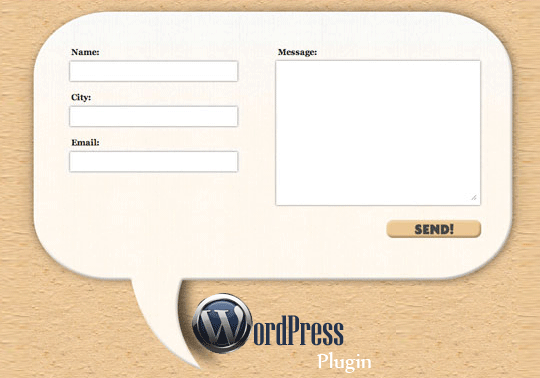
WordPress Contact Forms

Plugins for WordPress are not limited, if you haven't ever looked into it. I have been given the task of finding a good contact form plugin for WordPress for a future project.
Contact Form 7
Contact Form 7 seemed to pop up wherever I went on my search. It can manage multiple contact forms, that allows customization, has CAPTCHA, and is powered by Ajax. The set up is as easy as uploading and activating through the plugins menu. It seems very user friendly with the set up and the basics. This, I believe is why it is so popular. For a free plugin, this is a good solution.
SimpleModal Contact Form
SimpleModal Contact Form (SMCF) is an Ajax contact form as well and uses jQuery and the SimpleModal jQuery plugin. It has options such as contact from elements, subject field, and "send me a copy" option. The installation is pretty basic and gives you 4 options on how to do it. It seems to have a bug that may or may not be worked out yet, in WordPress 3.3.1.

Send E-mail
Send E-mail was imported from Grunion Contact From. It adds full internationalization using localized string from WordPress core. Instillation is simple with this as well, just upload and activate. It allows you to add the contact form with inserting [contact-form] in the post.

Conclusion
There are more free contact form plugins for WordPress than you could possibly sift through. Summaries are everywhere and all it takes is time to fully look through it all and decide what is appropriate for your project and how in depth you would like to get into it.

Monday, March 26, 2012

Template Modeling

When it comes to creating a website and creating the template that your site will use, you have several choices. You can design your own, use and modify an existing one, or buy one from a company. As designers, buying a template is out of the question, you are a digital Leonardo Da Vinci, and  Leonardo Da Vinci never bought a painting and called it his. He used Francesco del Giocondo's wife for the inspiration for the Mona Lisa, and just like the great artist before us, we all should use inspiration. 
Stealing Spree
There are so many sites that use have the potential for inspiration. I have found that the best way to use sites for inspiration is to consolidate everything that you like in order to create what you are attracted to. 

Es Developed has a 2 giant orange slices on the front of their home page. While we are creating a site for a restaurant, this seems like the perfect choice for a home page. A paragraph about some food can be summed up in 1 photo. Every time I look at the oranges it makes me want one. You get an A+ in your subliminal stimuli class!

I enjoy the sleekness and simplicity of Vignette Brand Communications. The color treatment and layout of the navigation makes it seem so easy when in actuality there are 11 links. The inset makes the background feel like the main image and everything else is secondary. 

Yogy has a simplicity to it that seems childish, and it works perfectly. With 2 colors, and some variants of the in between  they have accomplished a design that works magic for your eyes. The only issue is the navigation gets lost once inside of the pages. The aesthetics are what are amazing here. 
Resources?
You got em! The best place to learn about templates are straight from wordpress. The community that is behind WordPress is so large and helpful, you will have a hard time trying not to find help with creating templates. 
One can find numerous free templates online for Wordpress as well. 

Tuesday, March 20, 2012

CMS for The Future Projects

After lengthy research, I have found, without much surprise, the top three CMS's are WordPress, Drupal, and Joomla. these are the most widely used and most common content management systems. These top three are consistent no matter where you look on the internet, WebDevNews, WebDesignerDepot, and NetTuts all agree on the top three.
There are definitely more out there, and many comparison charts to help you choose, but when it comes down to it, WordPress seems to be the most widely known and with that, the easiest to get into.
WordPress
If you haven't heard of a content management system before, you still have probably have heard the name WordPress, there is reasoning behind this, and it is because the ease is what has made is so popular.
Now, I personally do not like a WYSIWYG (what you see is what you get) editor because it creates bloated code isn't the cleanest way to do things, (think using a hose to mop the kitchen floor, it will get done, but probably with lots of excess water)
This is the hard coder who will save you from the WYSIWYG flood
For most people this will not be an issue, mostly because they don't even have to look at the source code, but as designers, our world revolves around it.
Perks of WordPress
WordPress has many features like Plugins and Themes.
The community behind Wordpress is impressive to say the least, with forums and the contributions to make everything simple, such as the plugins page, it seems effortless to find what you are looking for.
The themes page as well has lists of featured themespopular themes, and newest themes, as a designer, these are all starting points to tweak and modify, but for a basic client, or one who is doing this on their own, this is the perfect solution.
My Choice is Made
And it is a choice of a new generation
WordPress takes the cake with ease for the simple fact of ease and popularity. This may not be the case for everybody, I consider myself more of a graphic designer than a script and code writer. For a starting point in the content management system world, WordPress should be your base as you stretch out into the wild hills that are made up of TextPattern, Contao, Umbraco, or Concrete5. So go out and enjoy it all.

Thursday, March 15, 2012

The Tale Of The Tape!
As Bruce Buffer calls the contenders down to the octagon, it is clear that this will be a good match up. Get Simple is coming off of some good wins against worthy opponents, and Website Baker has been putting some heat in the kitchen! Cheesy? Yes, but the point is there! This is a battle of utter greatness!
Ladies And Gentlemen, We Are Live!
The Weigh In
This is the first time I have gotten the chance to work with a CMS, and it seemed a bit confusing at first. Well, it still is to a certain extent. A CMS (content management system) is used for site maintenance for ease. Some are flat file CMS's and some are database driven. These are two perfect examples of each.
Technically, they would be lightweights.

Get Simple


Get Simple is a flat file CMS with no database requirement. It uses XML files to store data. The installation is rather easy and simple, one could possibly make that conclusion from the name itself. I used a lot of trouble shooting and found that Get Simple has a great community behind it that is willing to help the rookies out.
Website Baker


Website Baker is a database driven CMS that uses databases (obviously) to store data, it all falls into one single database file. The set up was not too complicated, but a bit more than Get Simple. Those who use WYSIWYG editors would enjoy the option with this one. WB also has droplets that are easily downloaded and installed. This helps out and helps to customize with ease.
The New Champion!


I would say that I am not proficient with a CMS yet, but I enjoyed both of the CMSs. Website Baker was a bit more complicated, but it lets you do more. If I were to start a new project today, I would use GetSimple, for the shear fact of how simple it is. Website Baker will stay for the long run and I will try it and use it at a later, more comfortable date.
Honestly, there is no clear winner. It seems like the age old (digital age) battle of Macintosh and Windows. One is simple and easy to use, but holds back, the other is a bit more complicated and gives you more freedom.