Tuesday, April 10, 2012

WordPress Contact Forms

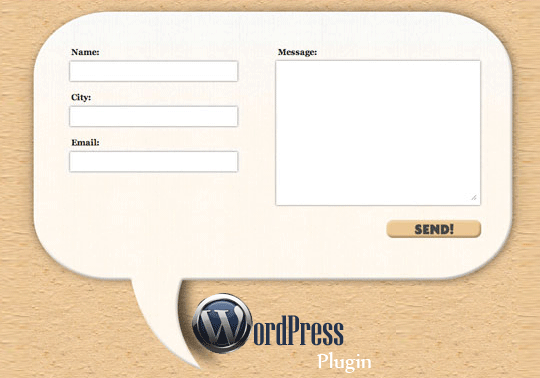
Plugins for WordPress are not limited, if you haven't ever looked into it. I have been given the task of finding a good contact form plugin for WordPress for a future project.
Contact Form 7
Contact Form 7 seemed to pop up wherever I went on my search. It can manage multiple contact forms, that allows customization, has CAPTCHA, and is powered by Ajax. The set up is as easy as uploading and activating through the plugins menu. It seems very user friendly with the set up and the basics. This, I believe is why it is so popular. For a free plugin, this is a good solution.
SimpleModal Contact Form
SimpleModal Contact Form (SMCF) is an Ajax contact form as well and uses jQuery and the SimpleModal jQuery plugin. It has options such as contact from elements, subject field, and "send me a copy" option. The installation is pretty basic and gives you 4 options on how to do it. It seems to have a bug that may or may not be worked out yet, in WordPress 3.3.1.

Send E-mail
Send E-mail was imported from Grunion Contact From. It adds full internationalization using localized string from WordPress core. Instillation is simple with this as well, just upload and activate. It allows you to add the contact form with inserting [contact-form] in the post.

Conclusion
There are more free contact form plugins for WordPress than you could possibly sift through. Summaries are everywhere and all it takes is time to fully look through it all and decide what is appropriate for your project and how in depth you would like to get into it.

Monday, March 26, 2012

Template Modeling

When it comes to creating a website and creating the template that your site will use, you have several choices. You can design your own, use and modify an existing one, or buy one from a company. As designers, buying a template is out of the question, you are a digital Leonardo Da Vinci, and  Leonardo Da Vinci never bought a painting and called it his. He used Francesco del Giocondo's wife for the inspiration for the Mona Lisa, and just like the great artist before us, we all should use inspiration. 
Stealing Spree
There are so many sites that use have the potential for inspiration. I have found that the best way to use sites for inspiration is to consolidate everything that you like in order to create what you are attracted to. 

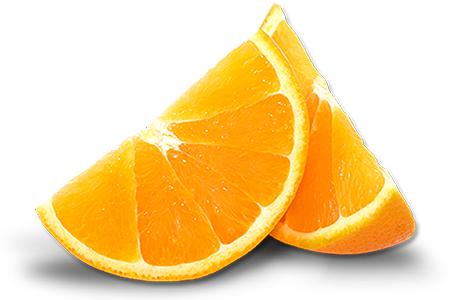
Es Developed has a 2 giant orange slices on the front of their home page. While we are creating a site for a restaurant, this seems like the perfect choice for a home page. A paragraph about some food can be summed up in 1 photo. Every time I look at the oranges it makes me want one. You get an A+ in your subliminal stimuli class!

I enjoy the sleekness and simplicity of Vignette Brand Communications. The color treatment and layout of the navigation makes it seem so easy when in actuality there are 11 links. The inset makes the background feel like the main image and everything else is secondary. 

Yogy has a simplicity to it that seems childish, and it works perfectly. With 2 colors, and some variants of the in between  they have accomplished a design that works magic for your eyes. The only issue is the navigation gets lost once inside of the pages. The aesthetics are what are amazing here. 
Resources?
You got em! The best place to learn about templates are straight from wordpress. The community that is behind WordPress is so large and helpful, you will have a hard time trying not to find help with creating templates. 
One can find numerous free templates online for Wordpress as well. 

Tuesday, March 20, 2012

CMS for The Future Projects

After lengthy research, I have found, without much surprise, the top three CMS's are WordPress, Drupal, and Joomla. these are the most widely used and most common content management systems. These top three are consistent no matter where you look on the internet, WebDevNews, WebDesignerDepot, and NetTuts all agree on the top three.
There are definitely more out there, and many comparison charts to help you choose, but when it comes down to it, WordPress seems to be the most widely known and with that, the easiest to get into.
WordPress
If you haven't heard of a content management system before, you still have probably have heard the name WordPress, there is reasoning behind this, and it is because the ease is what has made is so popular.
Now, I personally do not like a WYSIWYG (what you see is what you get) editor because it creates bloated code isn't the cleanest way to do things, (think using a hose to mop the kitchen floor, it will get done, but probably with lots of excess water)
This is the hard coder who will save you from the WYSIWYG flood
For most people this will not be an issue, mostly because they don't even have to look at the source code, but as designers, our world revolves around it.
Perks of WordPress
WordPress has many features like Plugins and Themes.
The community behind Wordpress is impressive to say the least, with forums and the contributions to make everything simple, such as the plugins page, it seems effortless to find what you are looking for.
The themes page as well has lists of featured themespopular themes, and newest themes, as a designer, these are all starting points to tweak and modify, but for a basic client, or one who is doing this on their own, this is the perfect solution.
My Choice is Made
And it is a choice of a new generation
WordPress takes the cake with ease for the simple fact of ease and popularity. This may not be the case for everybody, I consider myself more of a graphic designer than a script and code writer. For a starting point in the content management system world, WordPress should be your base as you stretch out into the wild hills that are made up of TextPattern, Contao, Umbraco, or Concrete5. So go out and enjoy it all.

Thursday, March 15, 2012

The Tale Of The Tape!
As Bruce Buffer calls the contenders down to the octagon, it is clear that this will be a good match up. Get Simple is coming off of some good wins against worthy opponents, and Website Baker has been putting some heat in the kitchen! Cheesy? Yes, but the point is there! This is a battle of utter greatness!
Ladies And Gentlemen, We Are Live!
The Weigh In
This is the first time I have gotten the chance to work with a CMS, and it seemed a bit confusing at first. Well, it still is to a certain extent. A CMS (content management system) is used for site maintenance for ease. Some are flat file CMS's and some are database driven. These are two perfect examples of each.
Technically, they would be lightweights.

Get Simple


Get Simple is a flat file CMS with no database requirement. It uses XML files to store data. The installation is rather easy and simple, one could possibly make that conclusion from the name itself. I used a lot of trouble shooting and found that Get Simple has a great community behind it that is willing to help the rookies out.
Website Baker


Website Baker is a database driven CMS that uses databases (obviously) to store data, it all falls into one single database file. The set up was not too complicated, but a bit more than Get Simple. Those who use WYSIWYG editors would enjoy the option with this one. WB also has droplets that are easily downloaded and installed. This helps out and helps to customize with ease.
The New Champion!


I would say that I am not proficient with a CMS yet, but I enjoyed both of the CMSs. Website Baker was a bit more complicated, but it lets you do more. If I were to start a new project today, I would use GetSimple, for the shear fact of how simple it is. Website Baker will stay for the long run and I will try it and use it at a later, more comfortable date.
Honestly, there is no clear winner. It seems like the age old (digital age) battle of Macintosh and Windows. One is simple and easy to use, but holds back, the other is a bit more complicated and gives you more freedom.

Tuesday, February 21, 2012

Content Management Systems!!


A content management system is can be as in depth as you want it to be, for those who do not know a scripting or programming language, it is easy. Those who do know PHP, Java, Python, HTML/CSS, or any combination, the customizations are endless. CMS’s are designed with non-tech savvy consumers in mind.

You may feel like you are hacking into alien software, but honestly, it is supposed to be easy for you.


CMS for businesses

So for a business, a CMS will be good and efficient. It has features that will help grow your business such as being faster to create pages than a basic website, greater consistency, better flexibility, great security, and it is cheaper.
Some of the better features of a content management system are the ability to have a language manager, post polls, endless menu customizations, and having a search button for your site. There are so much more, but these are the ones related specifically to joomla.
Not To Mention It Also Will Tie Your Shoes

CMS Evaluation

Now, having coffee pre-made for you is cool and all, but it is a bit too much. Do not add too much extra functionality you’ll never use. The only way to be exempt from this is if you have a site about all the different functionality you could have, but that probably isn’t what yours is about.
The right CMS regardless should be easy for non-geeks to use and have the ability to be changed into something beautiful like one of Bob Ross’ paintings.
The most important part you should look for when choosing a CMS is ease, speed, and simplicity. You want it to be fast, easy, and efficient, all websites should strive for this.
More information here!

Search Engines!

Search engines do not work well with a CMS. Dynamic URLs, bad Meta tags and keyword poor URLs make it quite complicated. Having your site be number 1 on Google isn’t the easiest thing to accomplish and takes a long time. Don't get mad at the designer you hired because you can not get your face to pop up as the first thing on Google when you search for "cool" 

Puppy Sarcasm. You Will Never Be This Cool, But He Tries To
Make You Feel Good About Yourself

Best Way to Become Better With A CMS?

The easiest way to learn more about CMS’s are to do research and to build one yourself. You can talk of painting all day, but that gives you no advantage with holding a paintbrush.

Yes, Second Reference To Bob Ross In This Blog! BOB ROSS FTW!
Until next time, your friendly neighborhood dreamer, Nick Stamper

Monday, February 6, 2012

The 3 Best CSS Resources Every Designer Should Know

So you want to be a web guru, a CSS master, use web standards with the dedication of a monk? Well I have a few links that may be quite useful for you to learn and grow from a young grasshopper to the greatest to ever create a website.
Bruce Lee said, “Empty your mind, be formless. Shapeless, like water. If you put water into a cup, it becomes the cup. You put water into a bottle and it becomes the bottle. You put it in a teapot it becomes the teapot. Now, water can flow or it can crash. Be water my friend.
This being said, before you sit down and write, just realize, you have power to do a lot with the water you possess. You should always be trying to find new techniques and more effective ways to go about doing anything, just like water trying to find the path with the least resistance. 
DocHub

Dochub is for CSS, HTML, JavaScript, DOM, JQuery, and PHP. DocHub has an amazing list of CSS properties, summaries about them, examples, syntax, and browser compatibility lists for each. The tutorial (which is actually from Mozilla) is based on CSS 2.1, but quite helpful for those who are starting out.

The HTML page has lists of tags, but no tutorials. The organization on all pages is lackluster, but is still great for reference.

Mozilla Developer Network

Mozilla has an amazing set of tutorials about CSS that is split into three categories, introductory, intermediate, and advanced. When I had originally found this website, I jumped straight to the advanced section and watched the tutorials on CSS3. It felt as if nothing was left out and the author was very strategic about how he said things and brought things onto the screen. I wish there were more of these tutorials because the author seems like a good teacher.
These tutorials will not be something that is referenced time and time again, but it is good to see and get a foot in the door to understand how CSS works and how to use it.
AListApart a
A List Apart is full of articles about everything to do with the web as a designer. With 290 code articles, and 160 design articles, it will keep you reading and researching for a lengthy stint. “Floats 101,” “Positioning 101,” “CSS3 Bling in the real world,” who wouldn't want to read these articles. It covers everything from CSS sprites to separation of content and design. This is good for just browsing possible solutions for your website, but not a good walk through from start to finish for creating a website.
Web Standards
By time this is being read by someone out on the Internet looking for good CSS/HTML/Web Standards tutorials, the web standards may have changed. Our good friends over at XKCD can help a little bit better with this one.


Until next time, your friendly neighborhood dreamer, Nick Stamper

Thursday, February 2, 2012

Presentation of the Future

I will be a bit technical in this blog, but I will help start with the beginning of what CSS is and what it does. CSS is an acronym for Cascading Style Sheet. Every webpage should have a separate CSS file that has rules that tell the HTML how to look and what to do. This CSS sheet is linked into the HTML to help make the HTML less bloated. Without these rules your webpage will be black and white with basic styling like one font at one size, and, well that’s it. No photos, no colors, no background.
Here is a good analogy, HTML is like speaking of a noun, which states what something is. If I say that is a car, you understand that whatever I am speaking about is a car. To add values or properties to this car is adding in adjectives to this noun. These adjectives, or the values and properties, are like the styles in a CSS sheet.

The Long Rich Deep History (from 1994)

The World Wide Web Consortium, which is basically the united nations of web development,  had introduced 9 different style sheets and dwindled it down to 2 to become what we know today as CSS. In 1995 the W3C had a workshop on style sheets proposed ideas and a structure for CSS 1. Here is the agenda to the workshop. There were many times that CSS level one recommendations were revised and updated, while the CSS level 2 drafts began in 1997, and CSS level 3 drafts began in 1999.
Today CSS 3 is not fully compatible with all browsers, but is used quite often.

I assume this is the security at the W3C headquarters, and they really like cats.

So What Exactly Are We Talking About?

CSS essentially helps to make your website look good. I could talk about this all day, but showing you is much easier to grab the concept. Here is the site in its full entirety.

And here it is without CSS.

As you can see, it is much more elegant and aesthetic. Why wouldn’t you want to do this for your website?

Technical Features

CSS has its own syntax which isn’t too hard to understand. www.HTMLdog.com is a favorite resource for me. It has tutorials, reference sections, articles, and examples that are extensively useful.
Now CSS3 has stepped it up and has more features, with often times less code. HTMLdog does not have CSS3 features yet, but here are some features that are quite useful.
Some of the most exciting new features are box-shadows, multiple backgrounds, opacity with RGBA, HSL, and HSLA colors, text-shadows, and multi-column layouts. Transform and Transition is one that is still not being used to its full extent. The best example I can find involves a javascript file, which will be held back for a different blog later on, but uses the transform and transitions very creatively.
There is much more to look into with new CSS features. You are essentially a young child, curious and enlightened by the unknown. So go explore and try something new, the worst that will happen is you will learn something.
If you have a pet tiger, the road may be safer.

Watch Out For Cow Pies!

The road will not be a paved highway, it will be an off-road path, so in doing so, try to make sure that you watch where you step. You may design something that surpasses the Mona Lisa in beauty, and when you open it up in Internet Explorer, it looks like a bad Picasso piece.


Oh The Beauty!
There will be kinks and bumps in the road and the only way to battle that is to expect it and seek out solutions.

Conclusion

Whether you are new to web design, or feel as if you are a guru, practice makes perfect. You are never alone in your search for creating beautiful websites. There are generators, tutorials, techniques, and inspiration  everywhere!
Your journey will be long, so a fore warning, the internet is obsessed with cats. So I figured I would go ahead and help out to. Enjoy the video!